Every part of a group trip, in one place.
One shared page for meals, gear, rides, rooms, and everything else. Everyone updates their own row. Nobody has to keep asking.
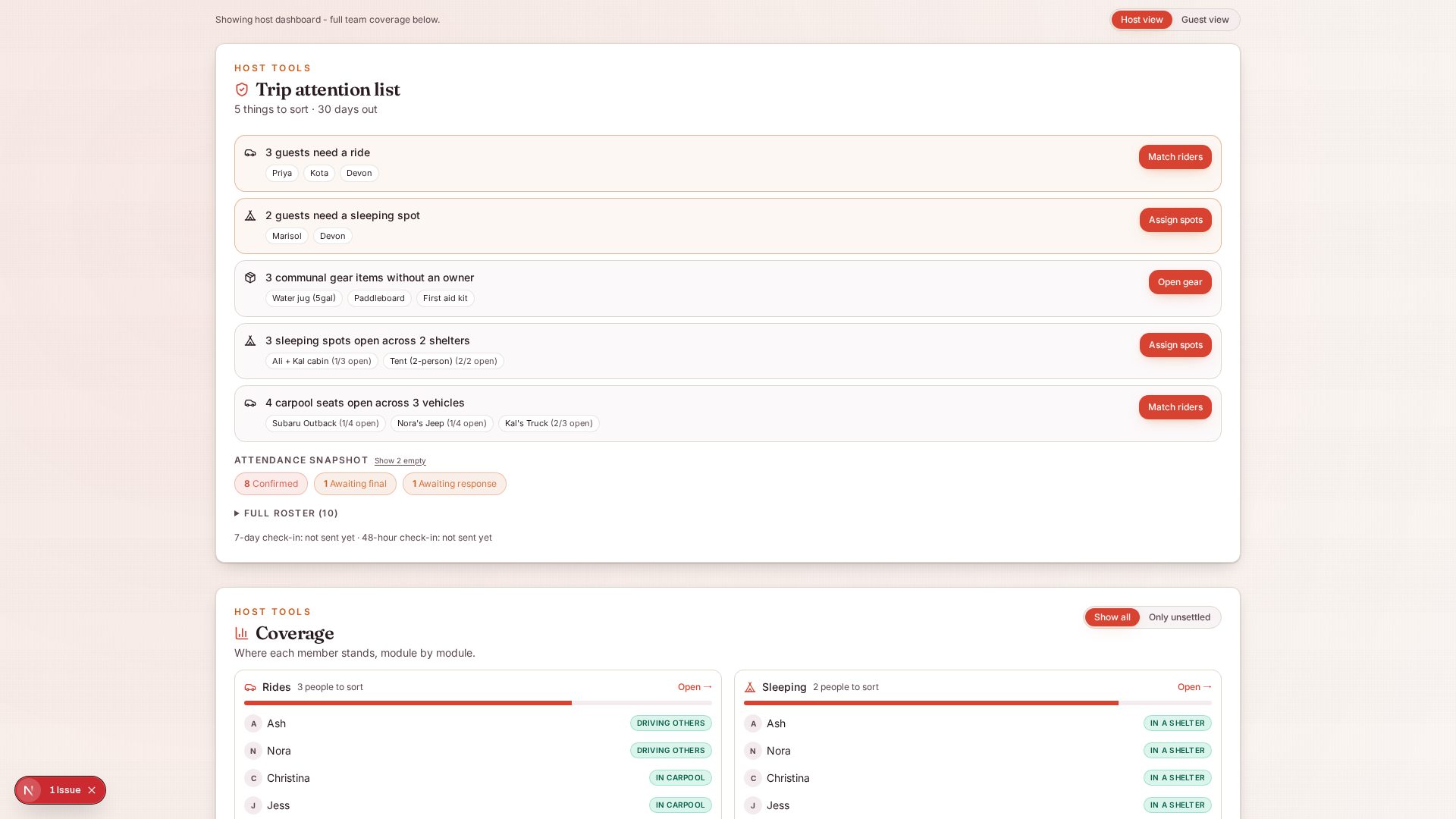
Turn on only what you need
A bachelorette weekend needs rooms, dinners, and outfits. A ski trip needs gear too. A camping trip needs boats. Turn on only the sections your group needs so the page stays clean.
- Toggle rooms, rides, meals, gear, boats per trip
- Shared map with meeting points and destinations
- Different arrival times for early and late birds
Where everyone is sleeping
One list of every rental, hotel room, cabin, and tent. Paste an Airbnb or Vrbo link and the app pulls the address and photo in for you. Everyone picks a bed. No more debating which house.
- Per-room limits so nobody double-books
- Auto-fills rental and hotel details from a link
- Sleep-status card for every person
Cars and rides
Anyone can add a car with open seats. Anyone else grabs a seat in one tap. When a rider needs a pickup, the app uses Mapbox to find the driver whose route makes the shortest detour.
- Add a car in a few seconds
- Set what day and time you’re leaving
- Waitlist kicks in when a car fills up
Meals and shopping
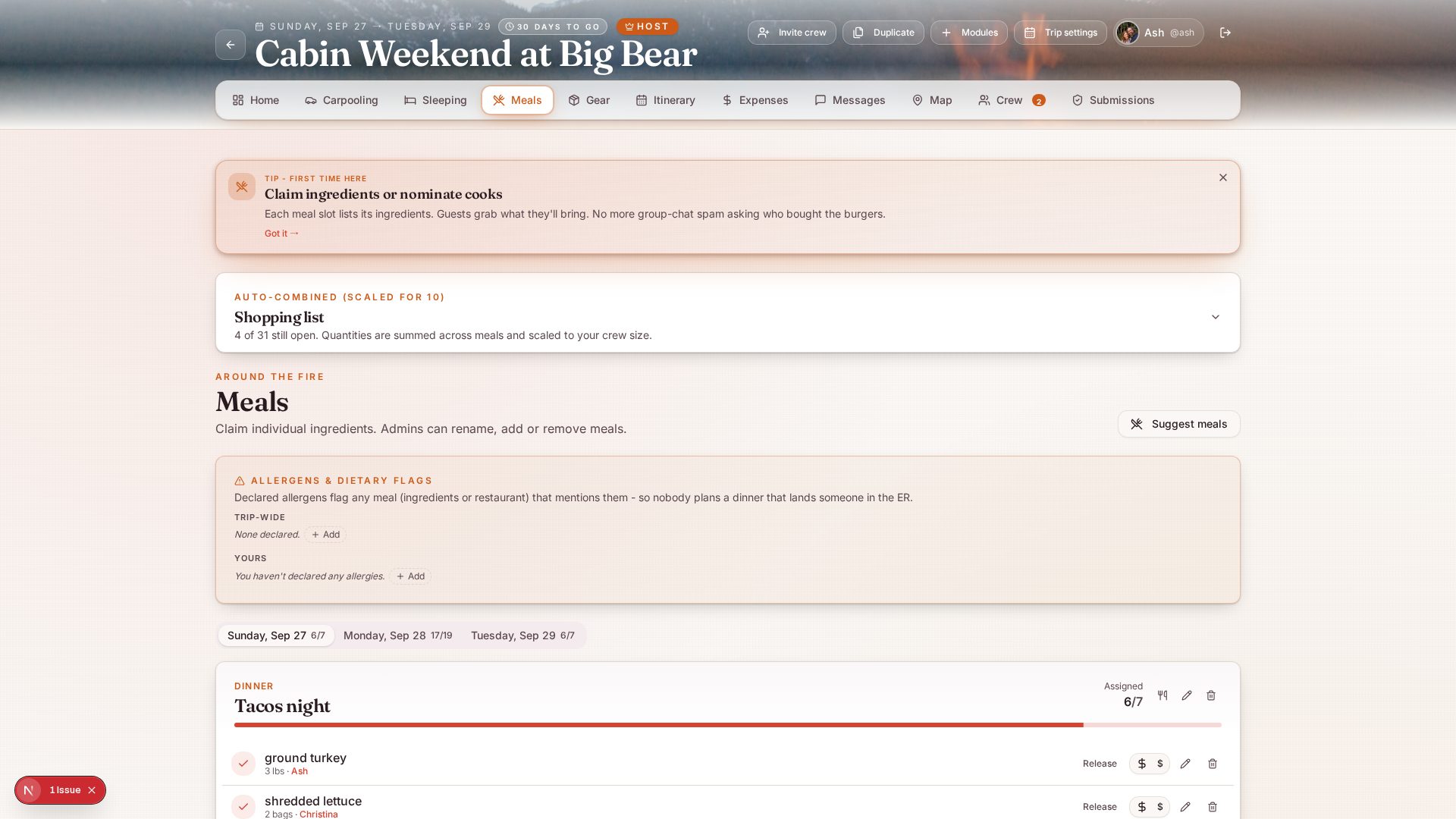
Reservations, home-cooked nights, restaurant picks, and one shared shopping list. Every ingredient has its own claim button so nothing gets forgotten and nobody buys the same thing twice.
- Every ingredient has an owner
- Dietary flags per person, no repeat asking
- One shared shopping list, no doubles
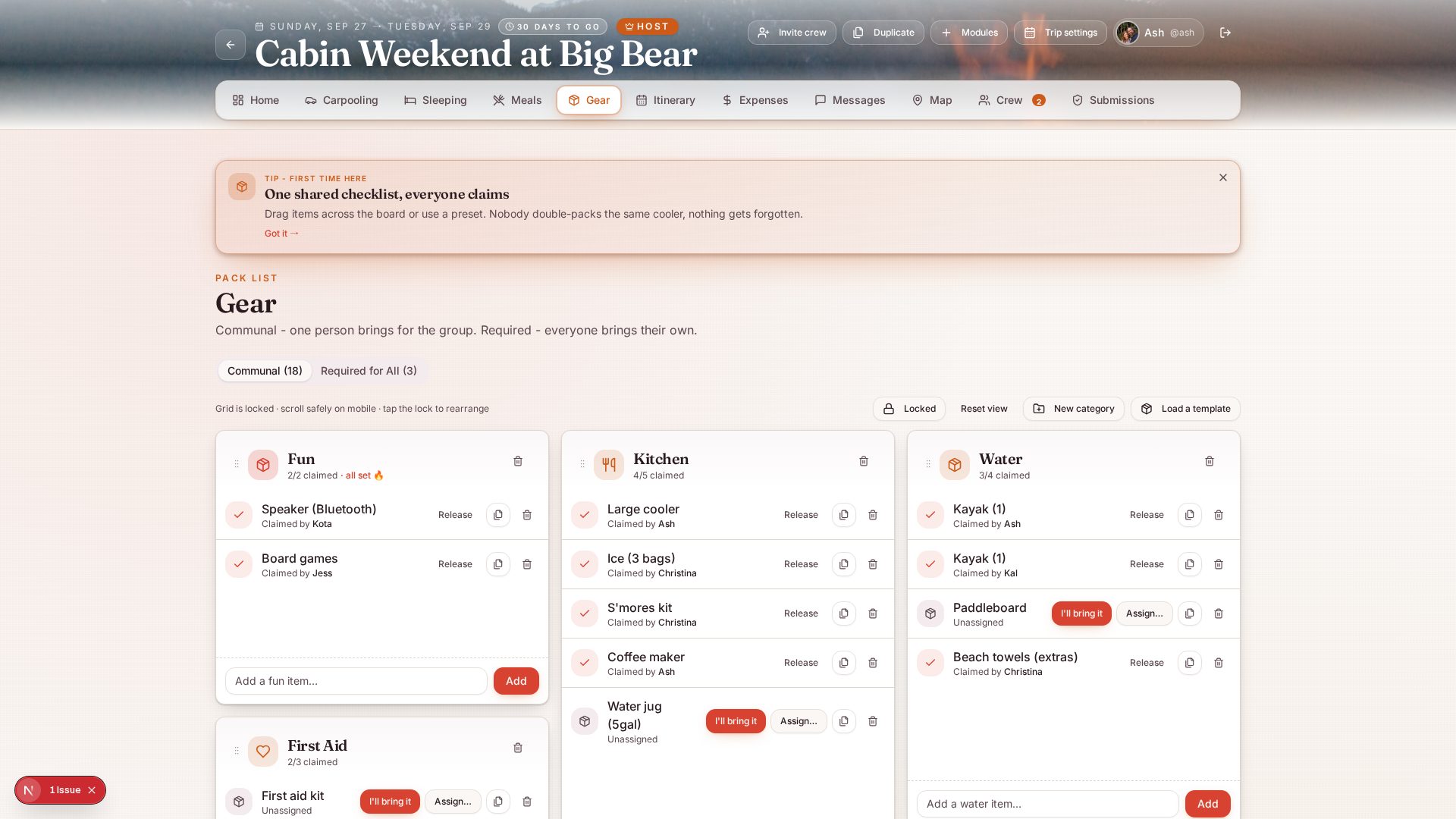
Gear & packing
A single shared checklist across the crew. Members claim what they’ll bring so nobody shows up with three coolers and no ice.
- Category and priority tagging
- Trip-type starter templates (kayak, ski, camping, more)
- Personal packing checklist per attendee
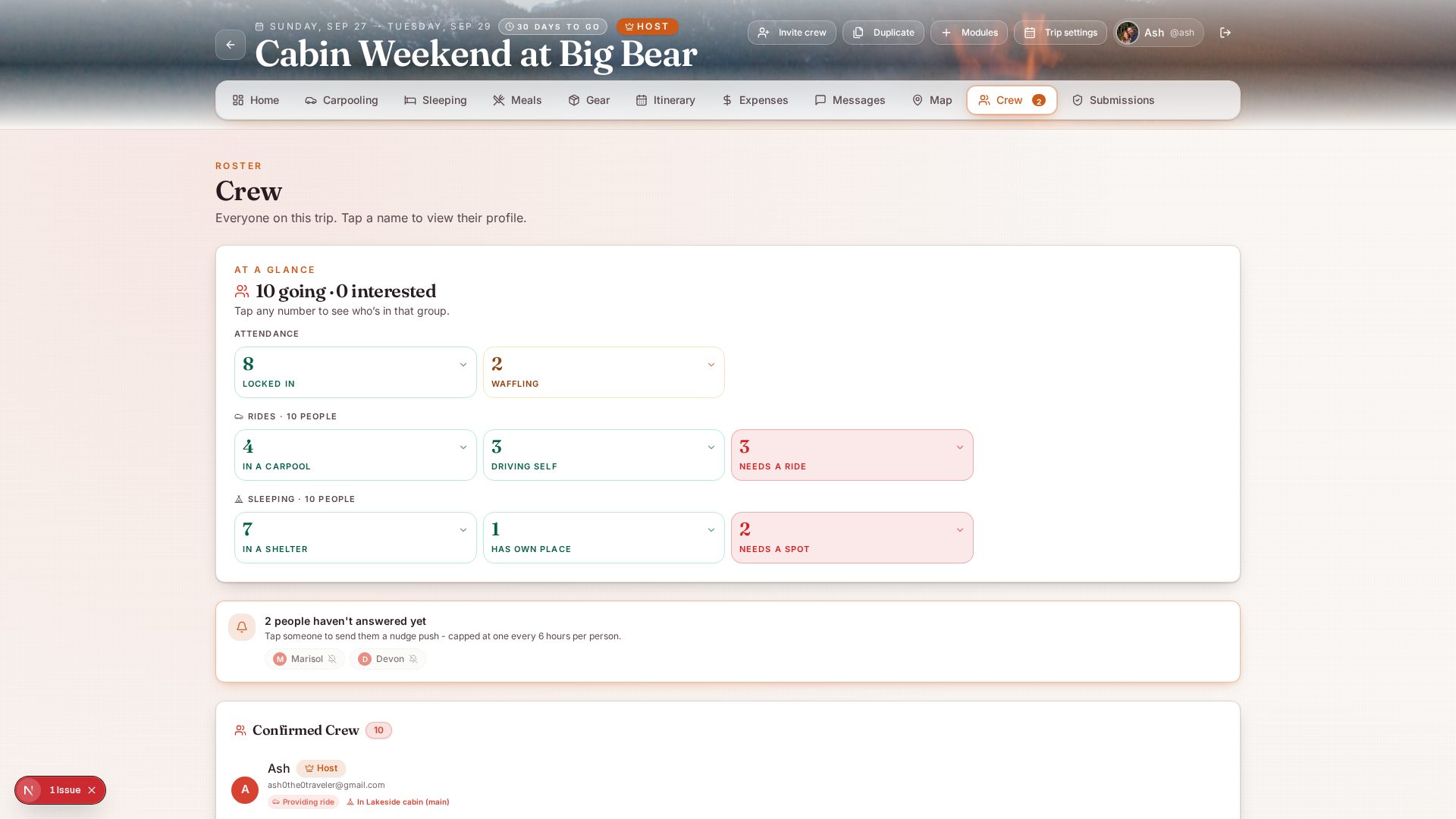
Nudges & smart reminders
Push notifications go only to the people who need to act. If Ana grabs the last seat, everyone who’s still ride-less gets a nudge; everyone else stays quiet.
- One-tap nudges to individual members
- DM shortcut for private questions
- Auto-reminders for anything still open
Real-time sync across every device
Every claim, every edit, every new car lands on every attendee’s screen in under a second. No refresh, no stale spreadsheet, no “wait, did that get updated?”
- Waitlist openings notify the next person automatically
- Host announcements land in real time
- Install to home screen (iOS + Android)
Onboarding & attendance gating
New members see a two-minute guided setup. Members marked “Interested” can browse but can’t claim resources until they confirm. Seats and rooms don’t evaporate to no-shows.
- Confirmed vs Interested status
- Two-way sync between check-ins and commitment
- Deep-link invites show a trip preview before signup
Dress code (per event)
Multiple themes per trip. Welcome dinner, ceremony, day-2 casual. Attach a reference photo so nobody guesses. Members mark “I’ve got it” so the host sees who’s ready.
- One theme per event or day
- Reference photo upload
- Per-attendee “ready” status
Optional: boats & watercraft
For outdoor trips. Every kayak, canoe, and boat is a card with per-seat claiming, waitlists, and owner tracking. Nobody double-books a paddle.
- Global waitlist when seats fill
- Owner and capacity per boat
- Auto-nudge when a seat opens
Itinerary board
Day-by-day plan for every activity, meal, and outing. Any member can propose, and the host approves before it goes live. Cost, RSVPs, and directions live on the same card.
- By-day and list views
- Per-item RSVP with counts
- Directions link opens the location in Maps
Arrivals & flight tracking
Every crewmate posts their flight (or drive) number and ETA. The host gets an automatic ping two hours before someone lands; the arriver gets a check-in nudge three hours before their ETA. One tap opens a live tracker.
- Flight, train, bus, or drive on one board
- Automatic host and arriver reminders
- Live flight tracker link
Questions hosts ask us
Start planning in under a minute.
Small trips are free forever. No credit card required.
Start your trip free